 The Official User Guide
Group finances, simplified.
PaySplitter is built for travel, roommates, and friends. Enjoy 100% offline functionality, private on-device storage, zero mandatory logins, and instant smart settlements.
Home Dashboard
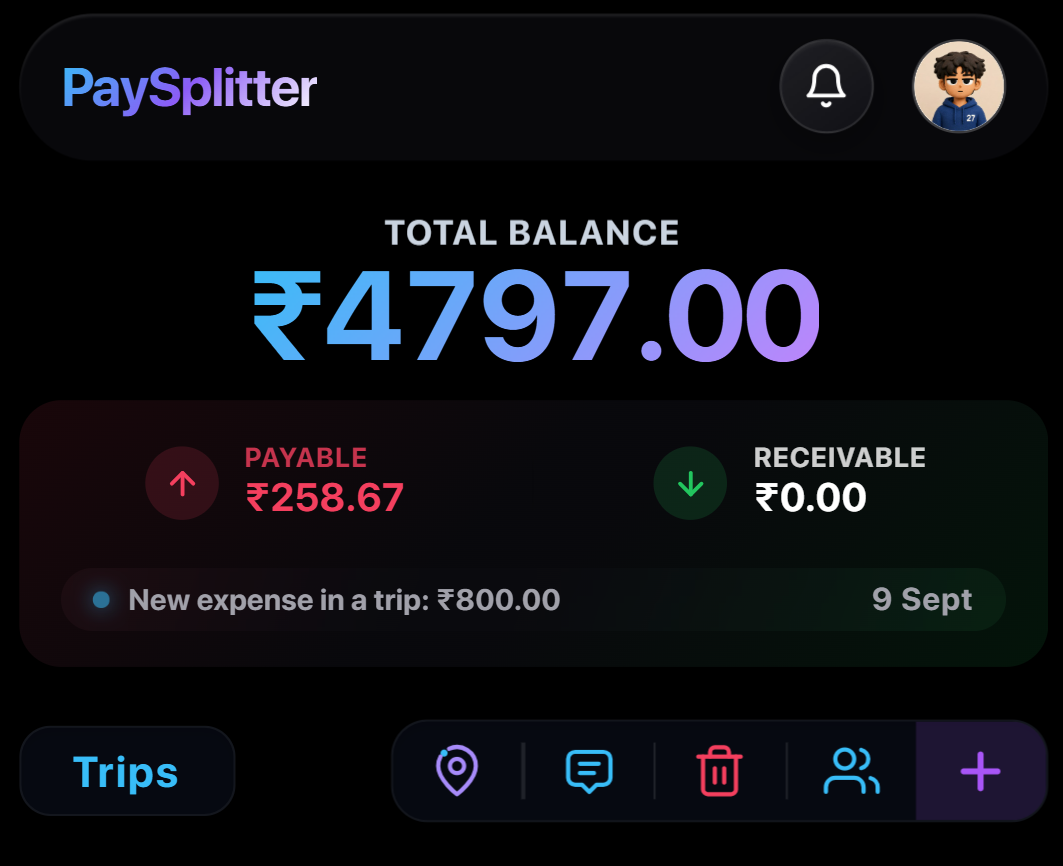
The central command center for all your journeys. View your overall balance, active trips, and quick tools at a glance.
-
Live Net Balance
Instant overview of what you owe (Payable) vs. what you're owed (Receivable).
-
Active Trip Cards & Ticker
Tap any trip to open details, track running totals, and see real-time expense updates.
-
Quick Navigation Dock
One-tap bottom bar to switch between 📍 Route Maps, 💬 Group Chat, 🗑️ Trash, 👥 Friends, and ➕ New Trip.
Trip Setup & Customization
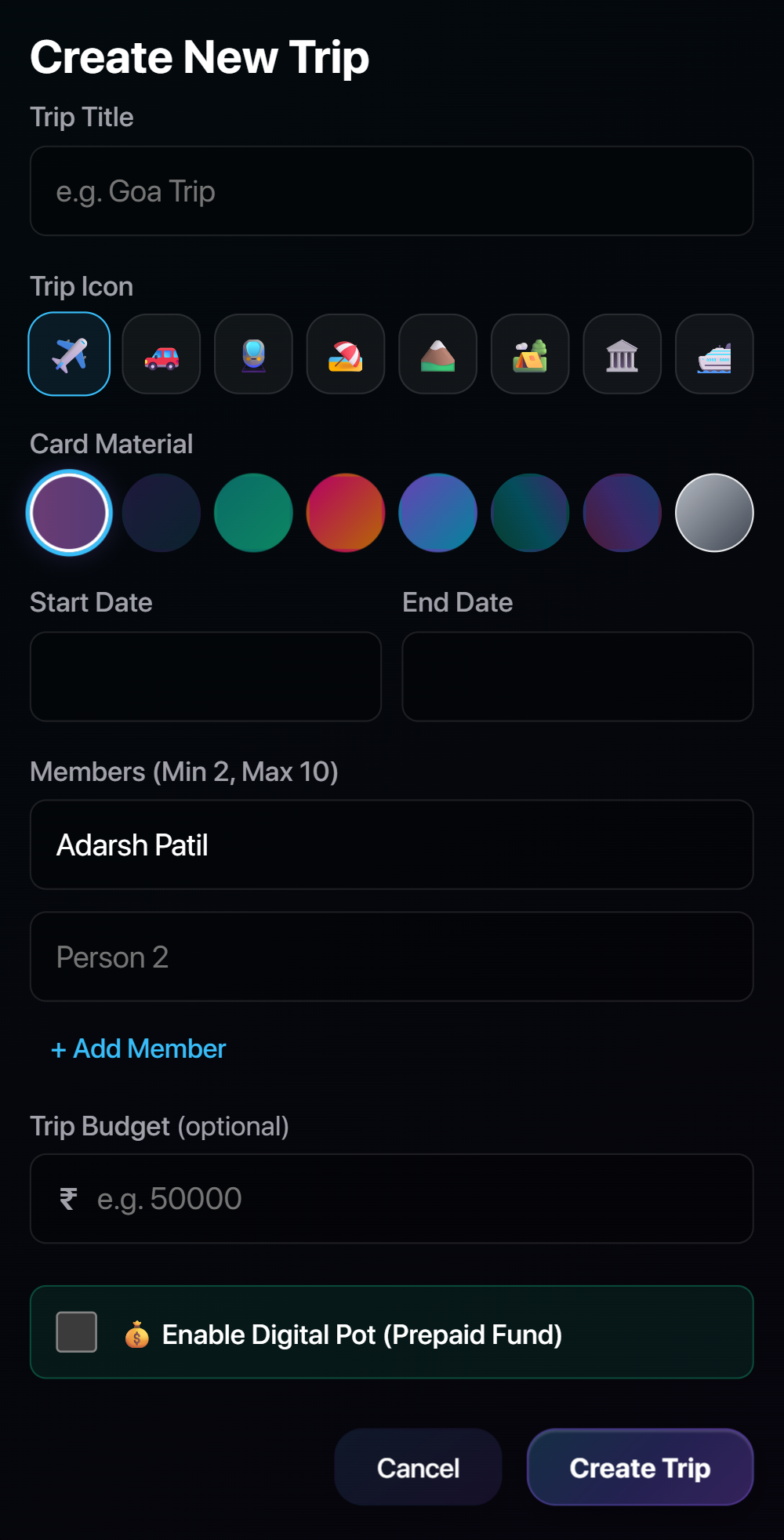
Create a trip in seconds with custom themes, travel icons, date ranges, and zero-friction member adding.
-
Custom Themes & Icons
Personalize trips with custom travel icons (flights, road trips, beaches) and vibrant gradient themes.
-
Dates & Target Budget
Set trip dates and an optional target budget to keep your group spending organized and on track.
-
Instant Friend Entry
Add friends simply by typing their names—no phone numbers, passwords, or logins required.
Smart Expense Splitting
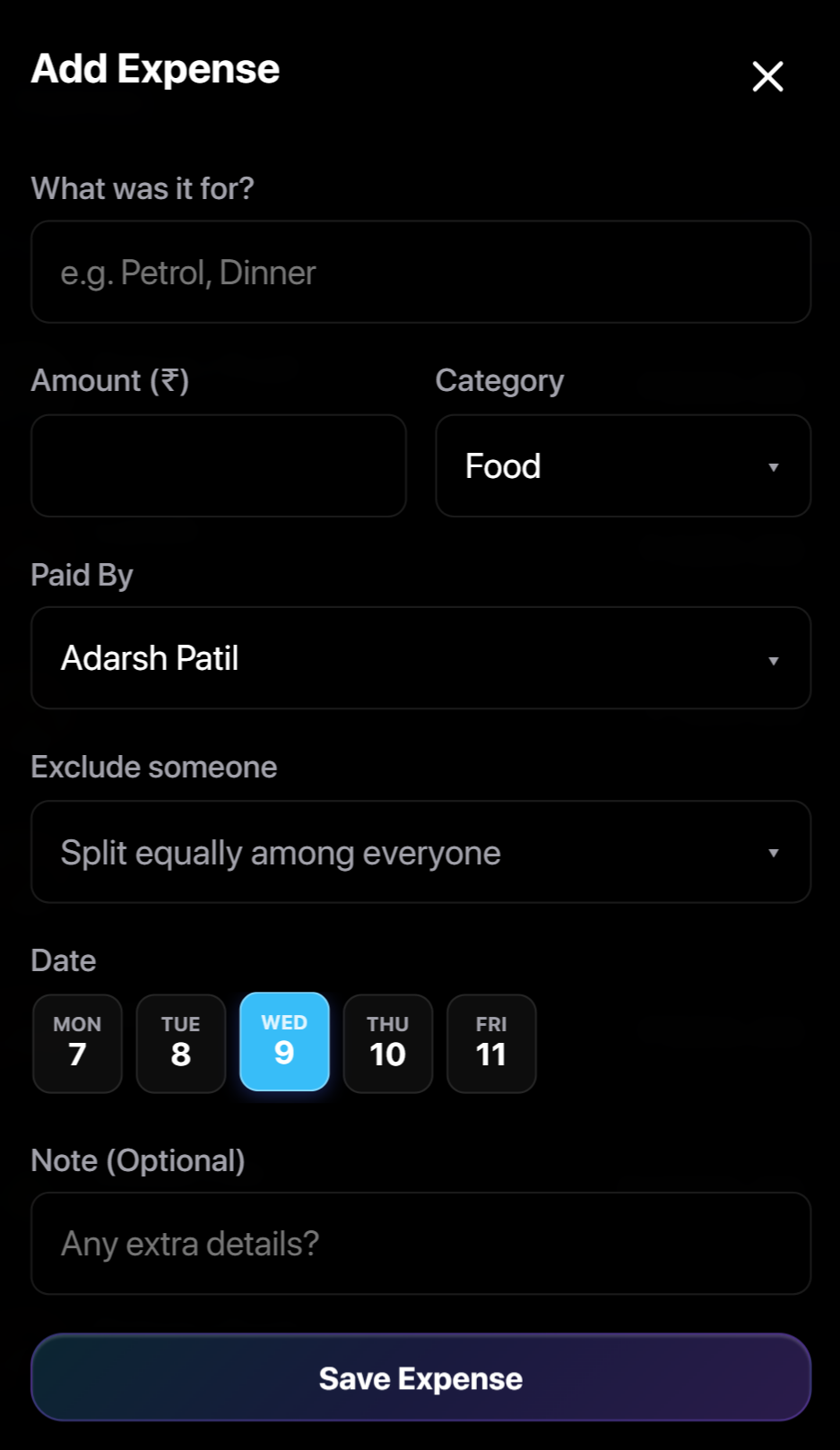
Record bills effortlessly with intelligent categorization, flexible payer assignments, and exclusion controls.
-
Quick Bill Logging
Enter bill amounts and pick categories (Food, Travel, Stay, Activities) to auto-generate spending charts.
-
Custom Payers & Exclusions
Select who paid (a person or the Digital Pot) and exclude friends who didn't join a specific meal or ride.
-
Day Strip & Notes
Assign bills to specific days with the calendar strip and add quick notes for invoice details or receipts.
Balances & Simplified Debts
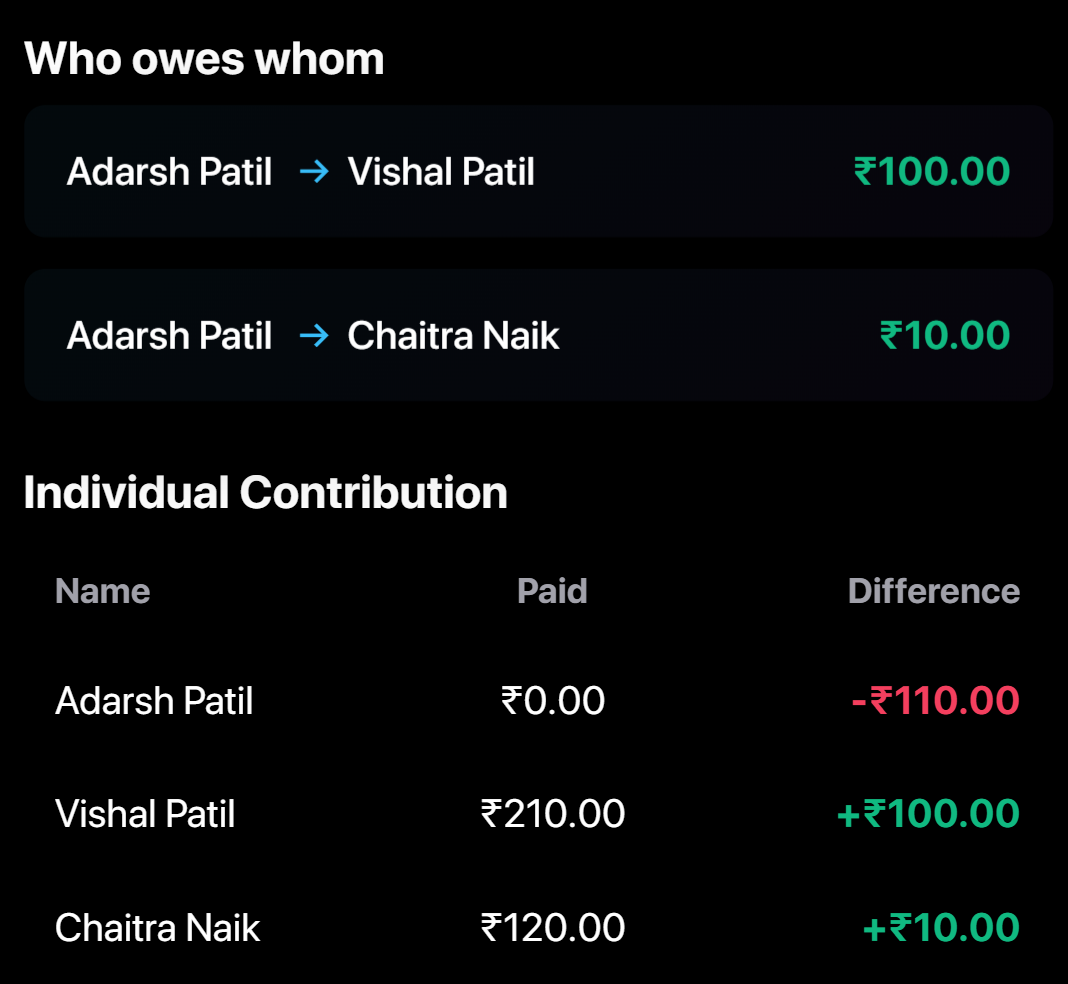
Eliminate confusing round-robin debts. View direct settlement paths and the itemized member ledger.
-
Smart Debt Simplification
Our algorithm collapses messy group IOUs into the fewest direct transfers, saving everyone from endless back-and-forth payments.
-
Individual Member Ledger
Transparent summary showing what each member spent vs their fair share, with green (+) and red (-) balance tags.
Settle Up (Pay Now & Paid Status)
One-tap UPI payments, automatic payment requests, and dual-party confirmation tracking.
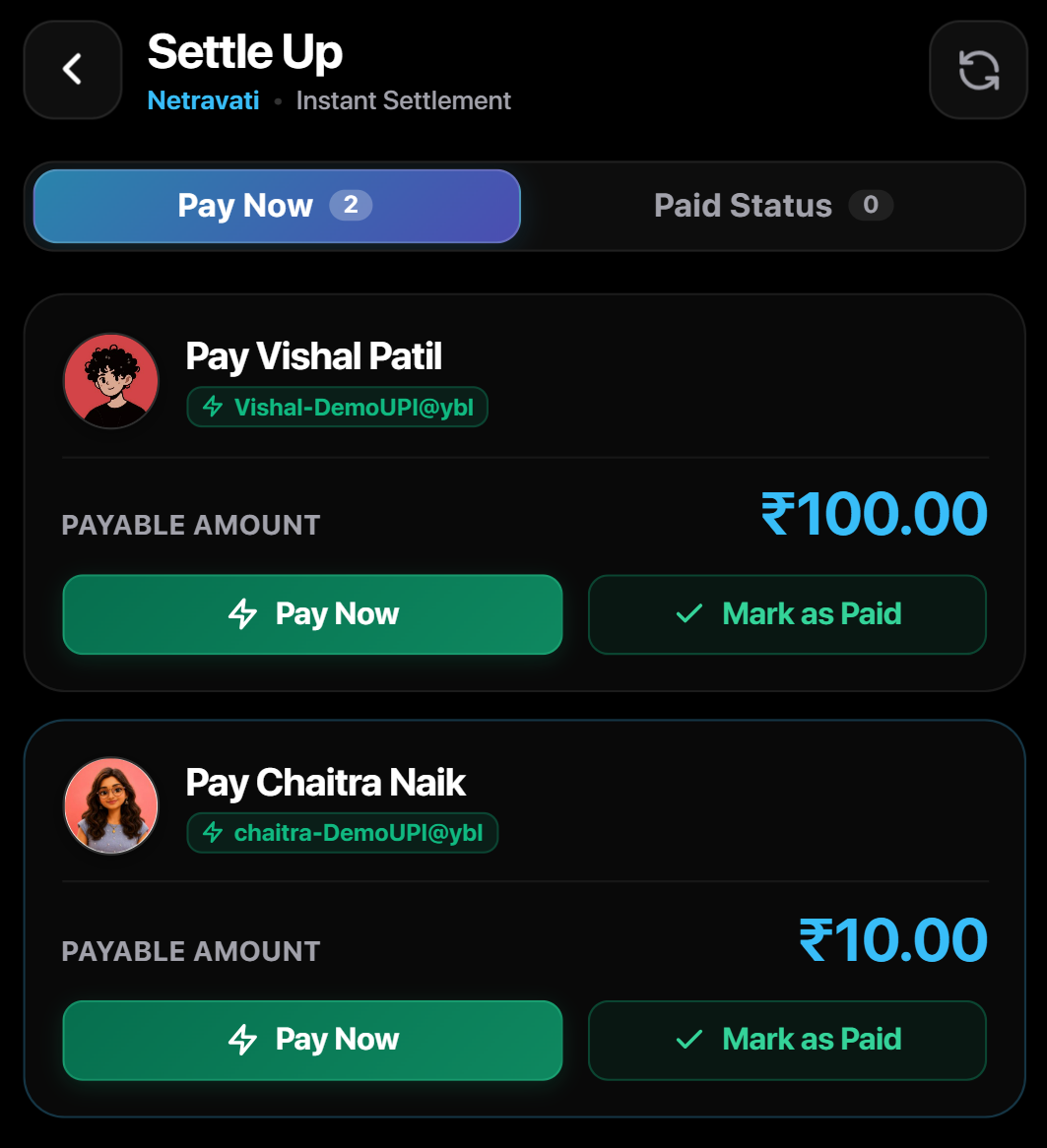
Instant UPI Launch Tap Pay Now to open Google Pay, PhonePe, or Paytm with the receiver's UPI ID & amount pre-filled.
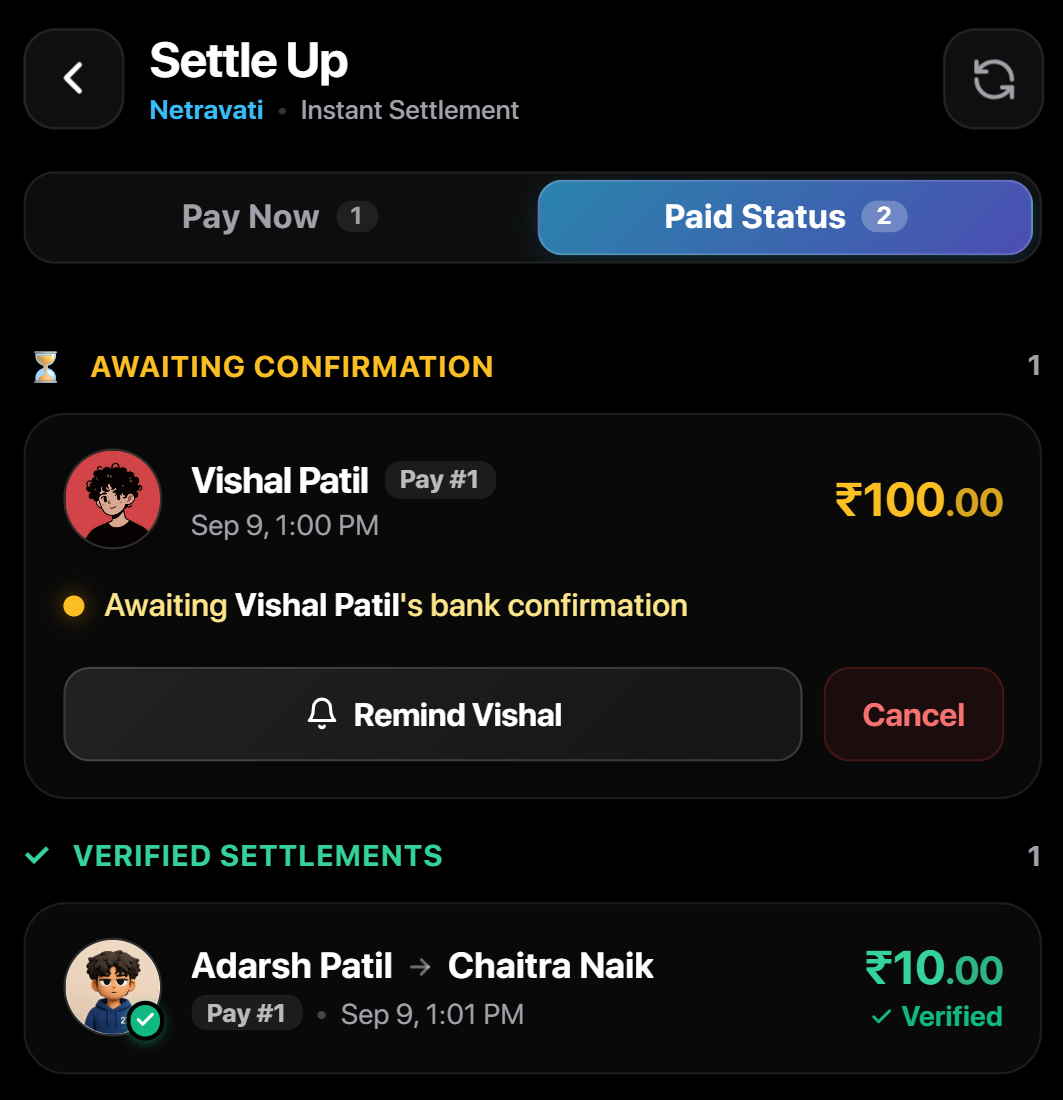
Verification & Receipts Track confirmations, send gentle nudges, and view permanent settlement receipts.
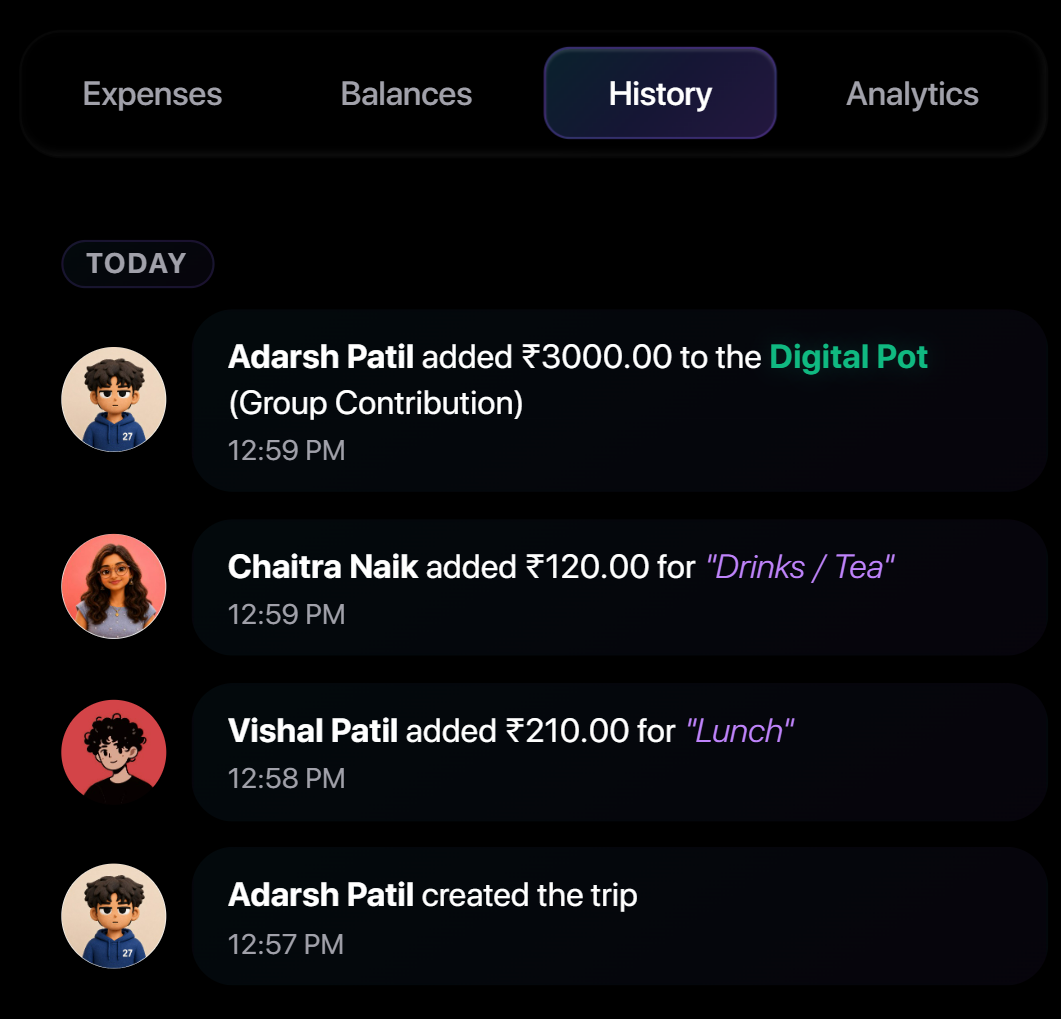
Activity History Log
A live chronological audit trail of all group expenses, pot top-ups, and settlement actions.
-
Real-Time Activity Feed
Chronological timeline of all added bills, pot deposits, and settlements with member names and timestamps.
-
Total Transparency
Permanent audit record of all past actions to prevent confusion and maintain group trust.
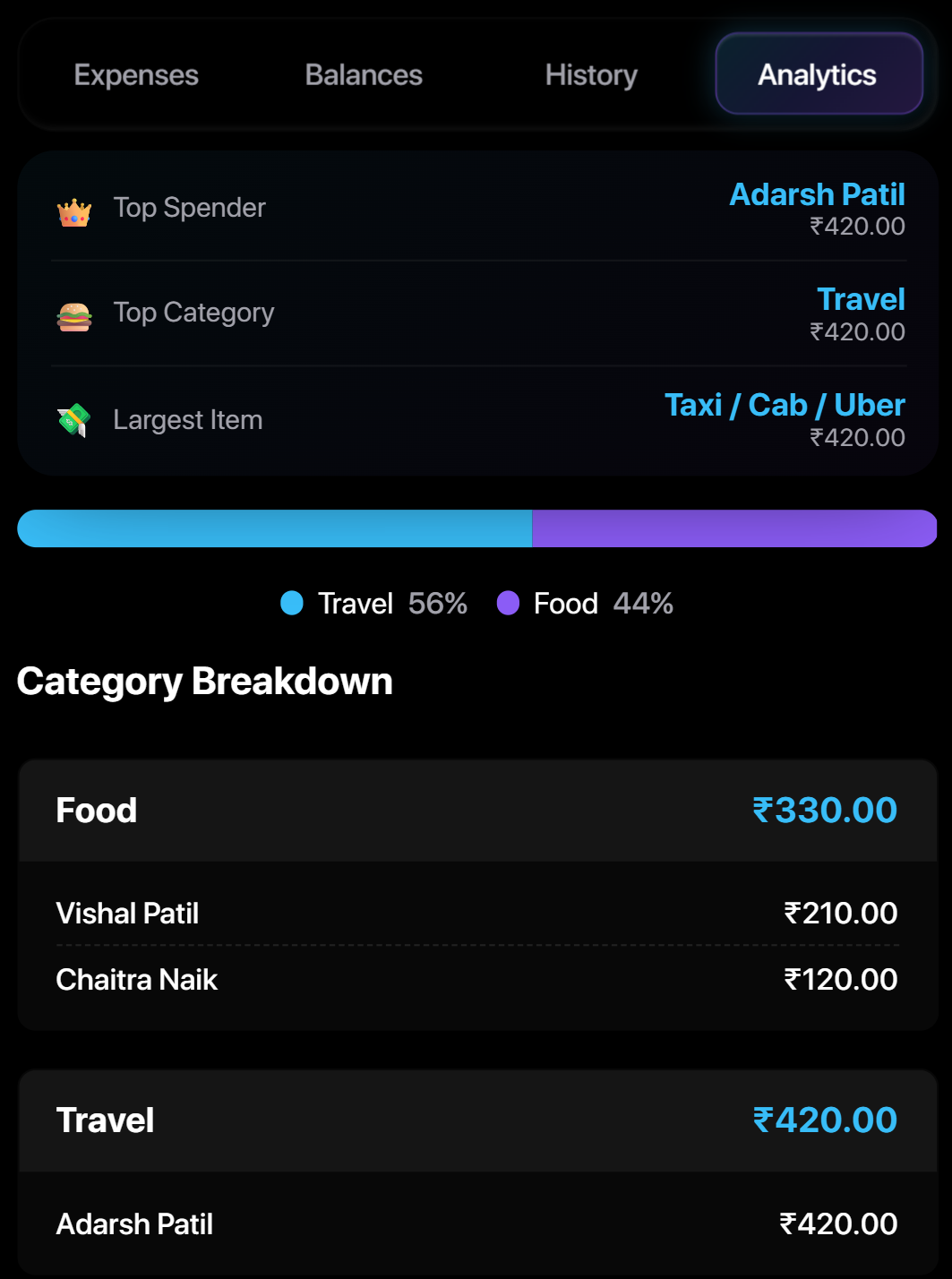
Analytics & Spending Insights
Visual breakdowns of categories, top spenders, largest items, and individual itemized costs.
-
Key Insight Badges
Spotlight tiles for Top Spender, highest Category, and largest single expense.
-
Visual Spending Breakdown
Proportion bar shows spending across categories, with summaries for each member's share.
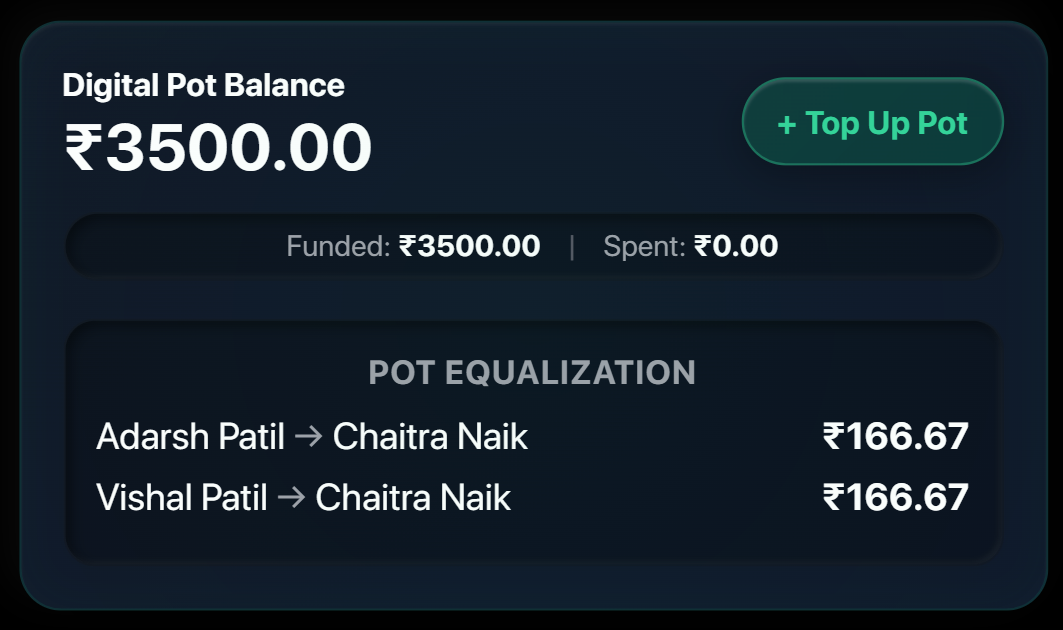
The Digital Pot (Kitty Fund)
Pool group funds upfront, track live kitty balances, and let the equalization engine settle deposit differences.
-
Shared Group Kitty
Pool upfront funds for fuel, tolls, and shared meals without daily micro-splits.
-
Smart Equalization
Automatically balances unequal deposits so everyone contributes their exact fair share.
-
Communal Spending
Pay shared bills directly from the Pot with live balance tracking.
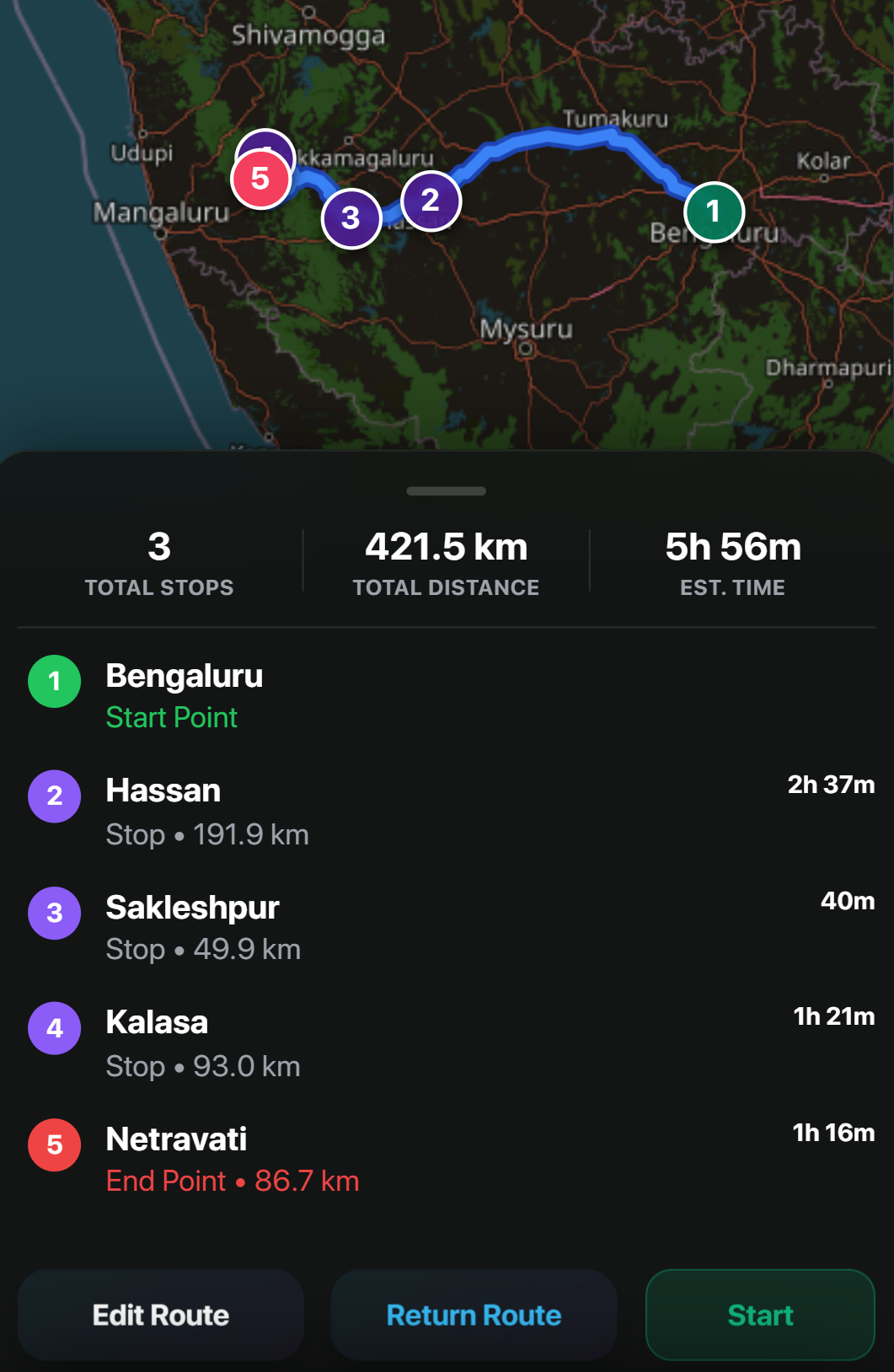
Map Route & Travel Itinerary
Visualize waypoints, checkpoints, total distances, and driving times on a GPS satellite route map.
-
GPS Route & Checkpoints
Visual travel corridor mapping numbered stops from departure to destination.
-
Distance & Driving Times
Instant estimates of total trip distance and travel duration between stops.
-
Navigation Ready
Edit stops on the fly or open directions directly in Google Maps.
In-Trip Chat & Notes
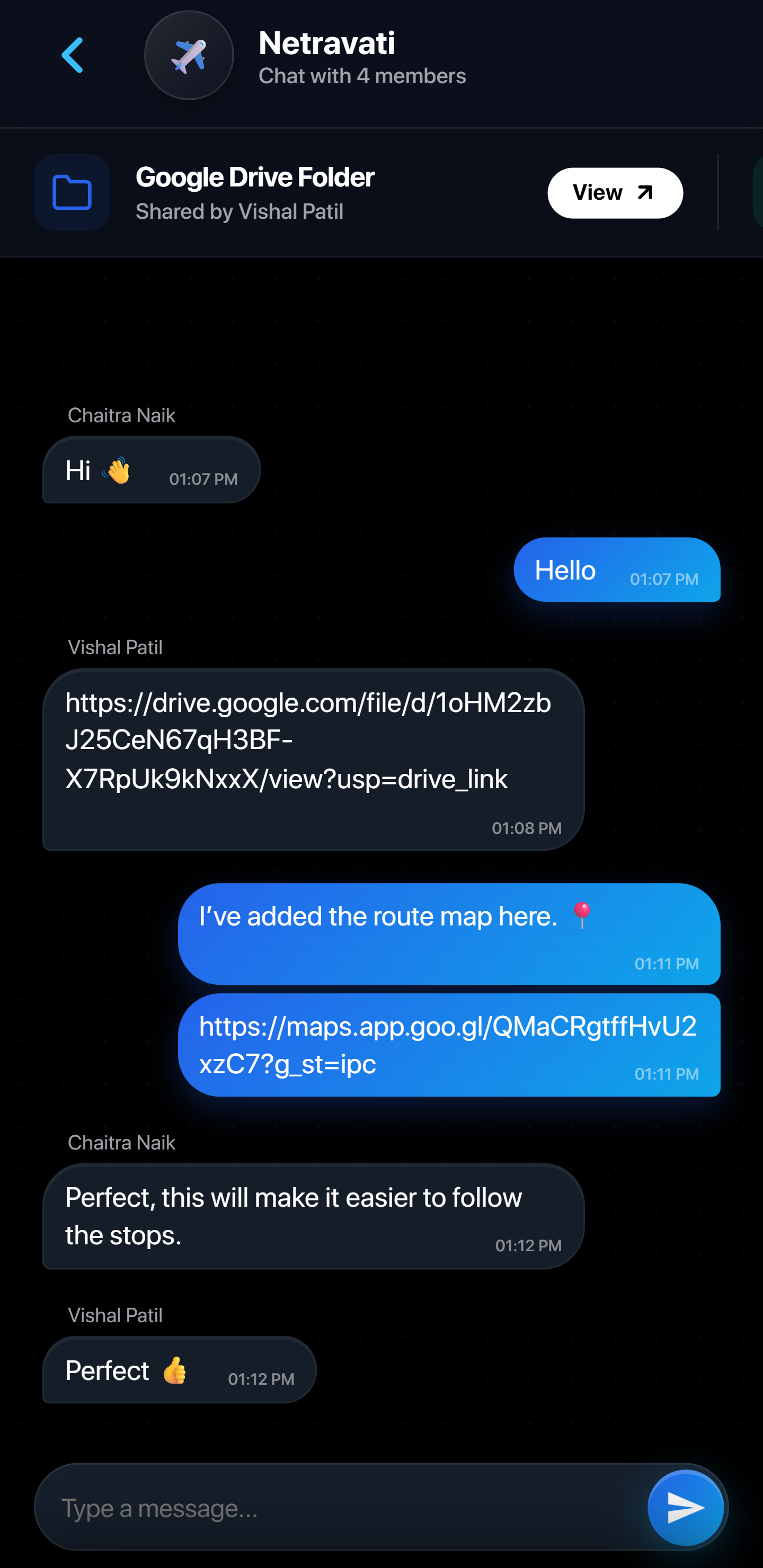
An integrated group channel with pinned cloud folders, location pins, and shared notes.
-
Pinned Cloud Folders
Pin Google Drive folders for trip photos, tickets, and bookings at the top of chat.
-
Location Pins & Lists
Share map pins, packing checklists, and announcements in a dedicated stream.
-
Trip-Locked Context
Keeps memories, receipts, and plans organized per trip without WhatsApp clutter.
Share & Join Trip (Host & Guest)
Multi-device group synchronization via 4-digit invite codes or direct email invitations.
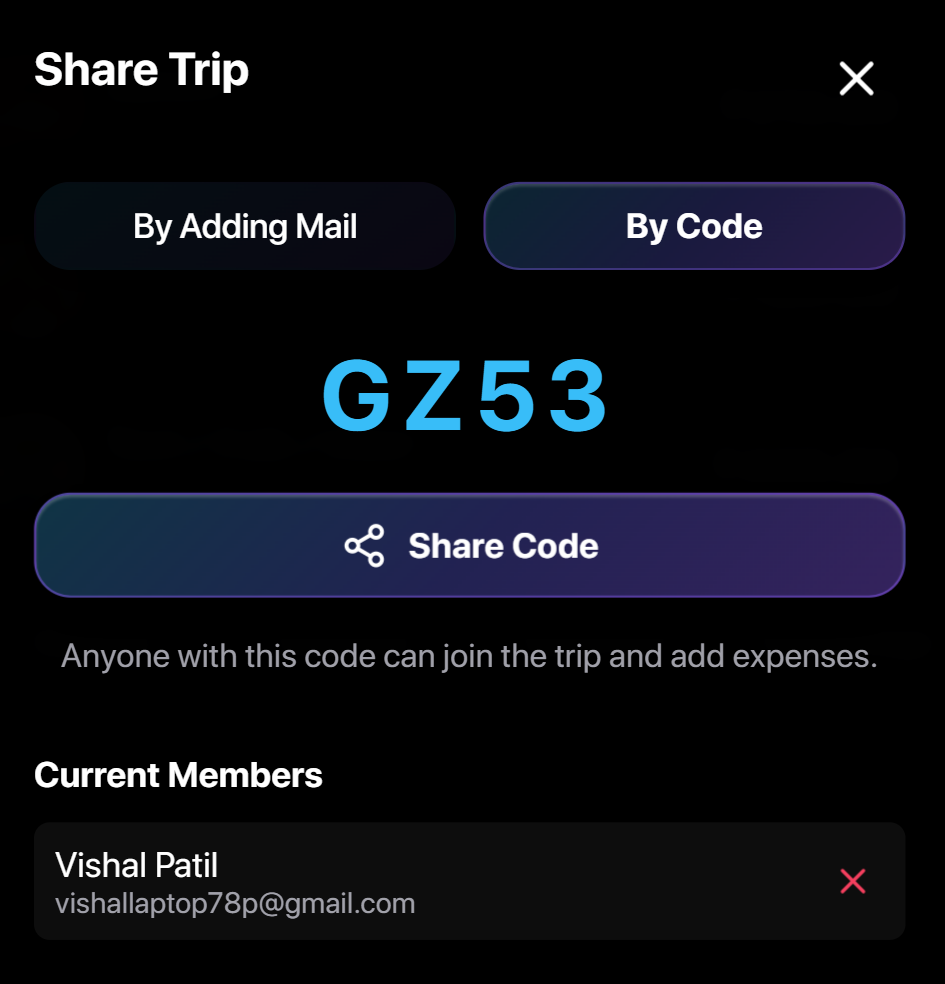
Host View (Share) Share an easy 4-character code or send direct invites via WhatsApp and Email.
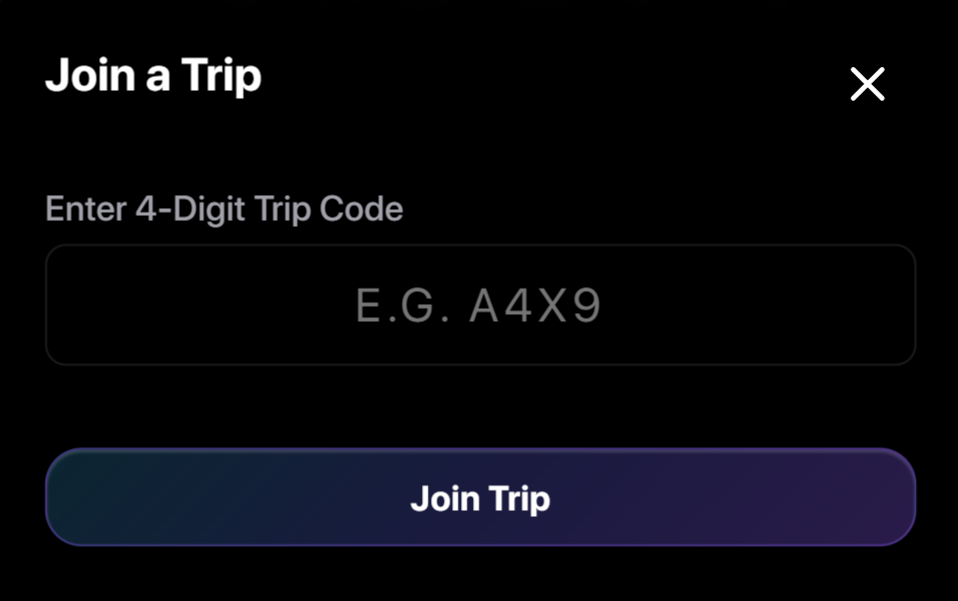
Guest View (Join) Friends enter the 4-digit code to instantly sync the full shared trip ledger.
App Lock & Local Privacy
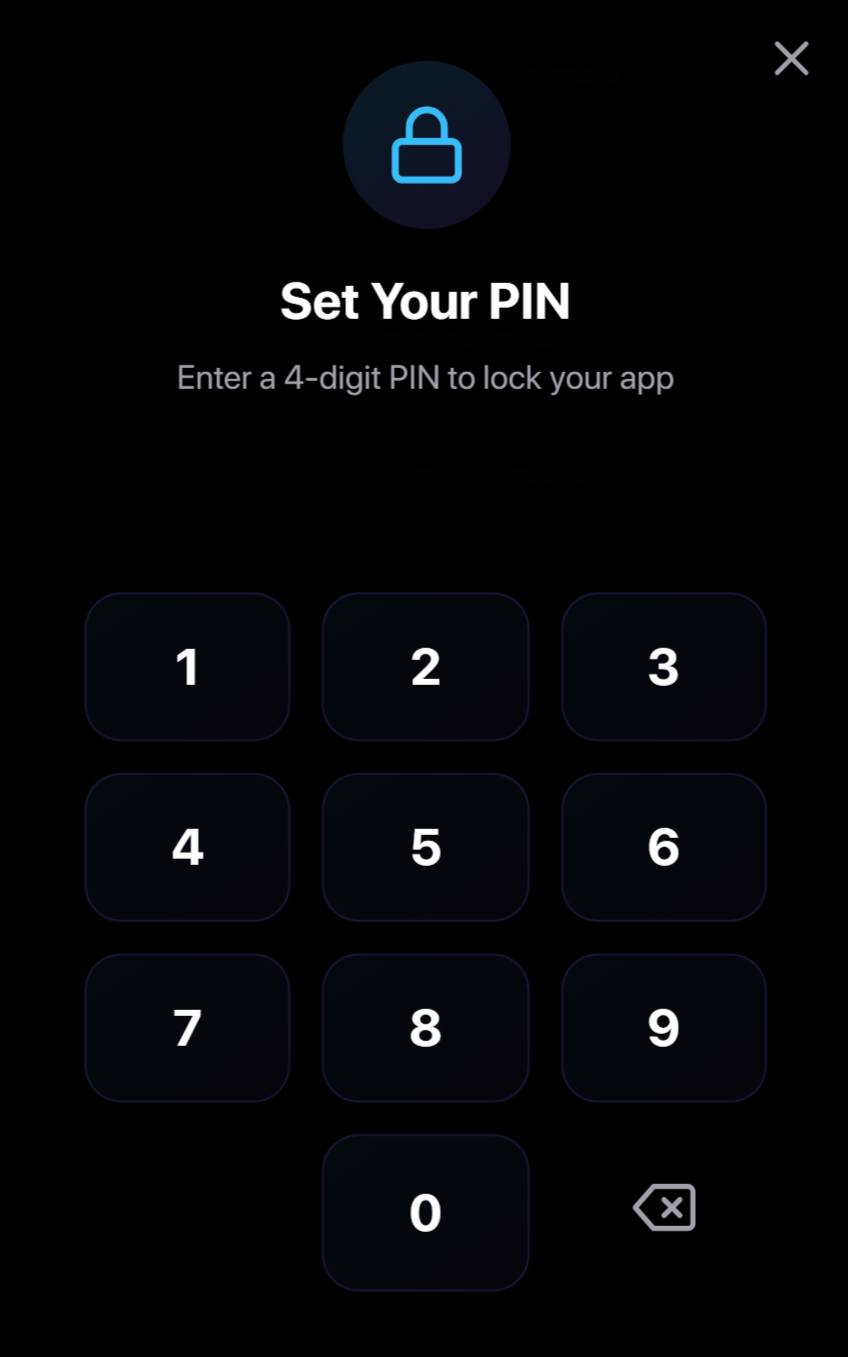
Bank-grade security keeping your personal financial records and balances protected on-device.
-
4-Digit PIN Protection
Lock your balance sheets and trip data behind a custom touch keypad PIN.
-
100% Offline & Private
All data stays strictly on your local device with zero tracking or external servers.
Data Export & Printable PDF
Export comprehensive multi-page PDF statements or download offline JSON backups for seamless migration.
-
Multi-Page Printable PDF
Clean trip summaries with expense ledgers, visual breakdown, and UPI payee details.
-
Offline JSON Backups
Portable backup files to archive trips or switch phones effortlessly.